> ## Documentation Index
> Fetch the complete documentation index at: https://www.notifuse.com/docs/llms.txt
> Use this file to discover all available pages before exploring further.
# Recover abandoned carts
> Send a reminder email when a shopper leaves a cart and doesn't place an order in the following day.
You end with an automation that waits after each cart event, checks for an order and emails the shopper the items they left behind.
## Before you start
- An API key with **Contacts write**, created in **Settings** → **Team & API keys**. Custom events answer to the Contacts permission.
- Your workspace ID and the address of your Notifuse instance (`YOUR_HOST` in the examples).
- A list for the automation, such as your newsletter list. An automation can't hold an Email node without one.
- An email provider set for **Marketing emails**.
## Set up cart recovery
### 1. Send a cart event from your store
When a shopper creates a cart, send a custom event to `POST /api/customEvents.import`. The body holds your `workspace_id` and an `events` array of 1 to 50 events.
Each event needs:
- `external_id`: the cart's ID in your store. A new `external_id` starts the automation. Sending the same one again updates the stored event and starts nothing.
- `email`: the shopper's address.
- `event_name`: lowercase letters, numbers, `_`, `.`, `/` and `-`, at most 100 characters. This guide uses `cart.created`.
- `properties`: whatever the email will show, such as the items and a link back to the cart.
`occurred_at` is optional and defaults to now. Don't give the cart event a `goal_type`.
**cURL**
```bash
curl -X POST https://YOUR_HOST/api/customEvents.import \
-H "Authorization: Bearer YOUR_API_KEY" \
-H "Content-Type: application/json" \
-d '{
"workspace_id": "YOUR_WORKSPACE_ID",
"events": [
{
"external_id": "cart_8f3a2c",
"email": "jane@example.com",
"event_name": "cart.created",
"properties": {
"cart_url": "https://shop.example.com/cart/8f3a2c",
"total": 89.9,
"items": [
{ "name": "Linen shirt", "quantity": 1, "price": 59.9 },
{ "name": "Canvas tote", "quantity": 1, "price": 30.0 }
]
}
}
]
}'
```
**Node.js**
```javascript
const response = await fetch('https://YOUR_HOST/api/customEvents.import', {
method: 'POST',
headers: {
Authorization: `Bearer ${process.env.NOTIFUSE_API_KEY}`,
'Content-Type': 'application/json'
},
body: JSON.stringify({
workspace_id: 'YOUR_WORKSPACE_ID',
events: [
{
external_id: `cart_${cart.id}`,
email: cart.email,
event_name: 'cart.created',
properties: {
cart_url: cart.url,
total: cart.total,
items: cart.items.map((item) => ({
name: item.name,
quantity: item.quantity,
price: item.price
}))
}
}
]
})
})
if (!response.ok) {
throw new Error(`Notifuse returned ${response.status}: ${await response.text()}`)
}
```
**Python**
```python
import os
import requests
response = requests.post(
"https://YOUR_HOST/api/customEvents.import",
headers={"Authorization": f"Bearer {os.environ['NOTIFUSE_API_KEY']}"},
json={
"workspace_id": "YOUR_WORKSPACE_ID",
"events": [
{
"external_id": f"cart_{cart['id']}",
"email": cart["email"],
"event_name": "cart.created",
"properties": {
"cart_url": cart["url"],
"total": cart["total"],
"items": [
{"name": i["name"], "quantity": i["quantity"], "price": i["price"]}
for i in cart["items"]
],
},
}
],
},
)
response.raise_for_status()
```
Notifuse doesn't create a contact from an event, and a journey can't run its steps without one. If the shopper may not be a contact yet, create them first with `POST /api/contacts.upsert`.
The email shows the cart as it was when this first event arrived. Updates sent later under the same `external_id` change the stored event but not the journey that already started.
### 2. Send orders as purchase goals
The automation checks for an order with a **Goal** condition, and a goal condition only counts events that carry a `goal_type`. Send every order with `goal_type: "purchase"` and its amount in `goal_value`, which is required for purchases.
**cURL**
```bash
curl -X POST https://YOUR_HOST/api/customEvents.import \
-H "Authorization: Bearer YOUR_API_KEY" \
-H "Content-Type: application/json" \
-d '{
"workspace_id": "YOUR_WORKSPACE_ID",
"events": [
{
"external_id": "order_1042",
"email": "jane@example.com",
"event_name": "order.completed",
"goal_type": "purchase",
"goal_value": 89.9,
"properties": { "cart_id": "8f3a2c" }
}
]
}'
```
**Node.js**
```javascript
await fetch('https://YOUR_HOST/api/customEvents.import', {
method: 'POST',
headers: {
Authorization: `Bearer ${process.env.NOTIFUSE_API_KEY}`,
'Content-Type': 'application/json'
},
body: JSON.stringify({
workspace_id: 'YOUR_WORKSPACE_ID',
events: [
{
external_id: `order_${order.id}`,
email: order.email,
event_name: 'order.completed',
goal_type: 'purchase',
goal_value: order.total,
properties: { cart_id: order.cartId }
}
]
})
})
```
**Python**
```python
requests.post(
"https://YOUR_HOST/api/customEvents.import",
headers={"Authorization": f"Bearer {os.environ['NOTIFUSE_API_KEY']}"},
json={
"workspace_id": "YOUR_WORKSPACE_ID",
"events": [
{
"external_id": f"order_{order['id']}",
"email": order["email"],
"event_name": "order.completed",
"goal_type": "purchase",
"goal_value": order["total"],
"properties": {"cart_id": order["cart_id"]},
}
],
},
).raise_for_status()
```
Notifuse doesn't link an order to a cart. The `cart_id` property is only there for your own records.
### 3. Write the reminder email
Create a template in the **Marketing** category. The event that started the journey is available as `trigger_event`, with the cart's properties under `trigger_event.properties`:
```liquid
Hi {{ contact.first_name | default: "there" }}, you left these in your cart:
{% for item in trigger_event.properties.items %}
{{ item.quantity }} × {{ item.name }}: {{ item.price }}
{% endfor %}
Back to your cart
```
### 4. Create the automation
Go to **Automations** and click **New automation**. In **Settings** on the left, pick the **List** and set **Frequency**:
- **Every time**: each new cart starts its own journey.
- **Once per contact**: only a contact's first cart ever gets a reminder.
On the trigger, set **Trigger Event** to **Custom event** and **Event Name** to `cart.created`.
### 5. Add a Delay
Add a **Delay** step after the trigger. Set **Wait Duration** to 1 and the unit to **Days**.
The next step explains why a 1-day wait fits the order check best.
### 6. Add a Filter that looks for an order
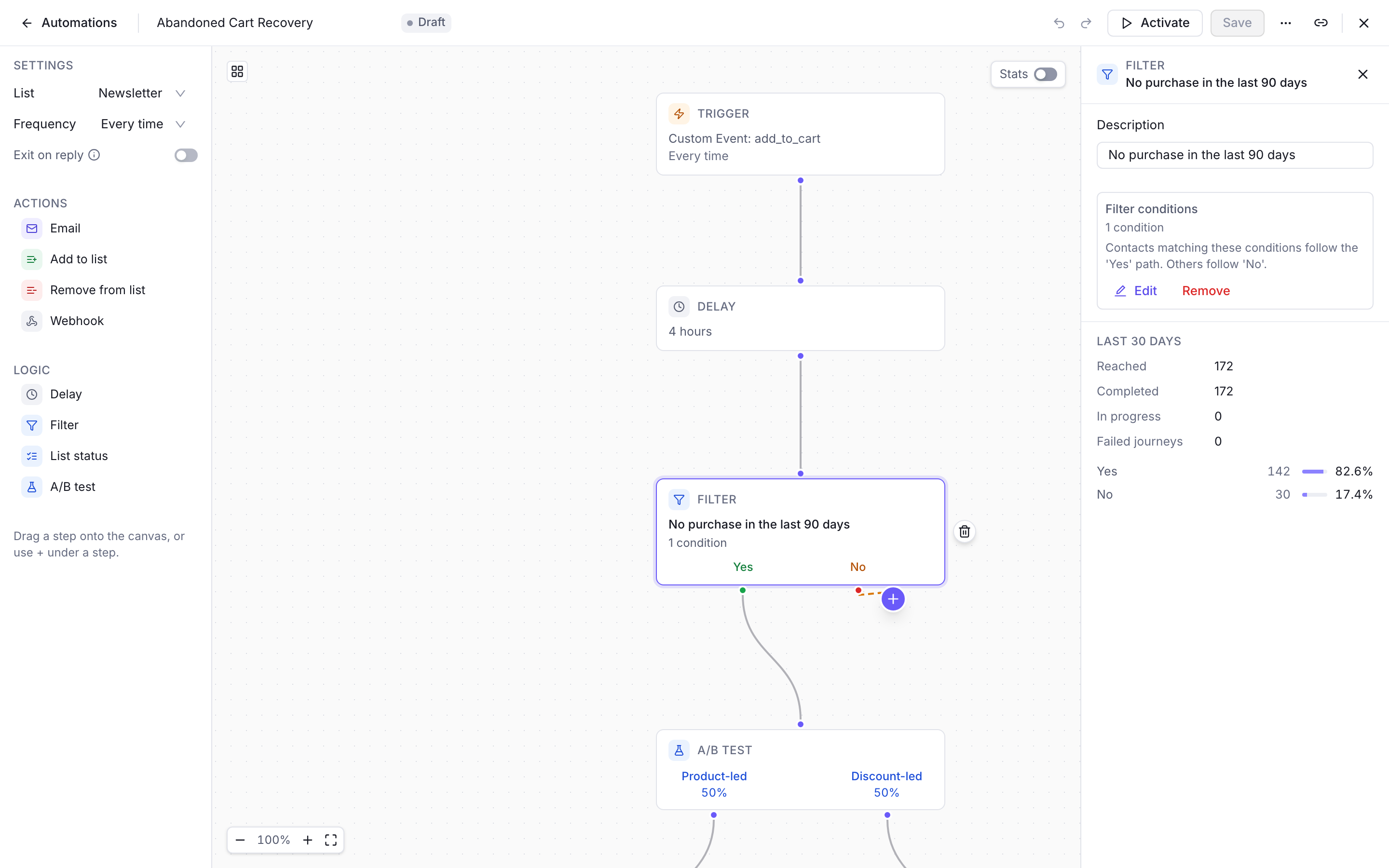
Add a **Filter** step after the Delay and click **Add filter conditions**. Add a **Condition** of type **Goal** and fill it in:
- **The contact**: **has not reached**, **Purchase**.
- **Measure**: **count**, **greater than or equal to**, 1.
- **When**: **in the last** 1 **days**.
Click **Confirm**. Contacts who match follow the **Yes** path. Leave **No** empty: a shopper who ordered ends the journey there.
> [!NOTE]
>
> The Filter can't check "no order since this cart". The goal window counts whole days back from the moment the Filter runs, and it can't start at the cart event.
>
> With a 1-day Delay and a 1-day window, the two line up: the Filter looks back to about the time the cart event arrived. A shorter Delay with the same window looks further back than the cart. With a 4-hour Delay, a shopper who ordered in the 20 hours before creating the cart is treated as a buyer and gets no reminder.
>
> The window also counts every purchase, so an order for something else entirely still stops the reminder.
The Filter is also where you can limit the email to subscribers. Contacts who were never on the automation's list still get a marketing email; only those who unsubscribed, bounced or complained on it are skipped. To email list members only, add a **List subscription** condition next to the Goal.
### 7. Add the Email step and activate
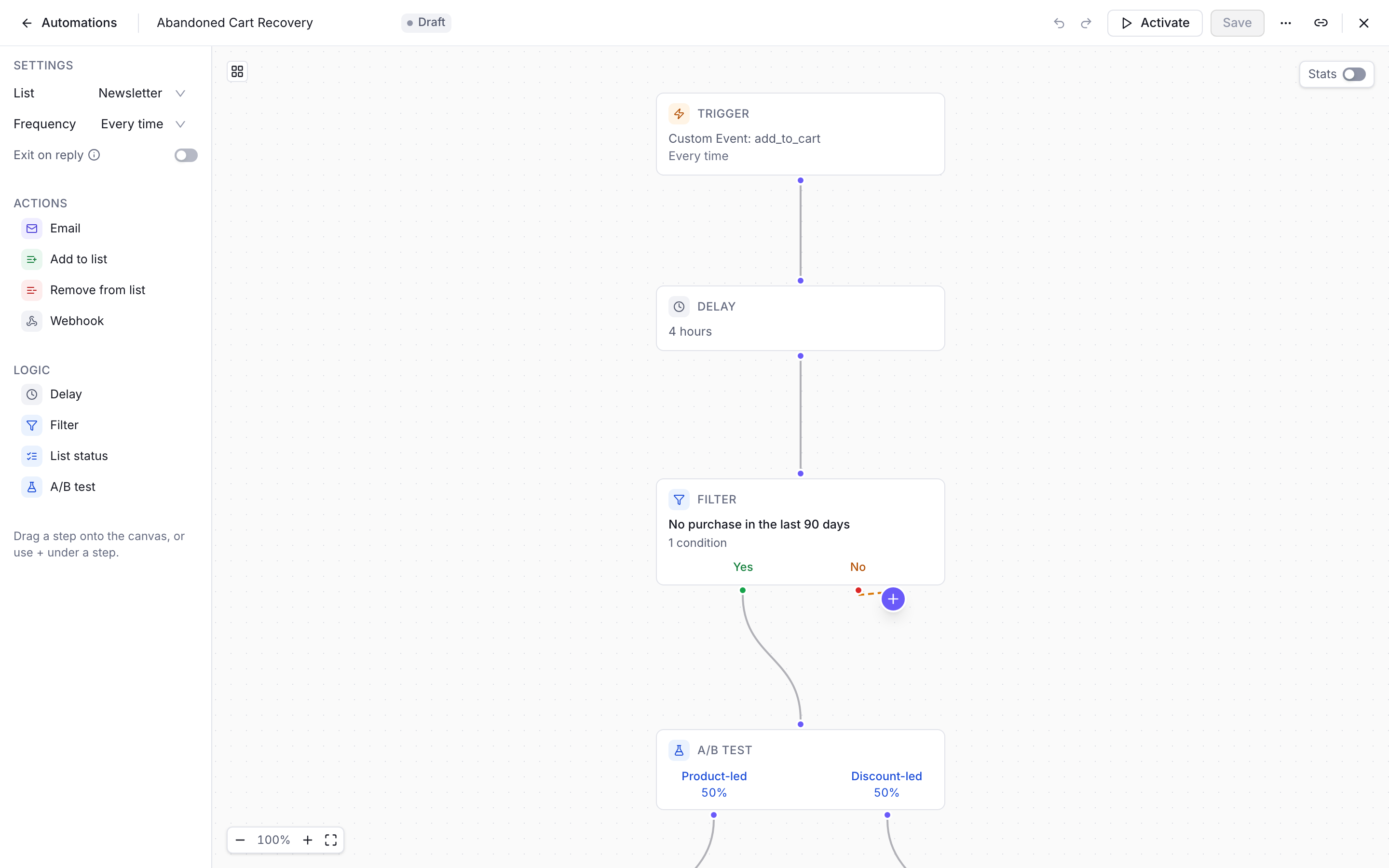
Add an **Email** step on the **Yes** path and pick your reminder in **Email Template**.
Click **Activate**, then **Yes, activate**. Only carts that arrive after this point start a journey.
## Check that it works
1. Set the Delay to a few **Minutes** while you test.
2. Send a `cart.created` event for your own address, with an `external_id` you haven't used yet.
3. Open your contact in **Contacts**, go to the **Activity** tab and pick the **Events** filter. You should see the cart event and "Entered the automation".
4. When the delay is over, the reminder arrives and the activity shows "Completed the automation".
5. Send a second cart, then a purchase event before the delay ends. That journey ends at the Filter and no email goes out.
Set the Delay back to 1 day before real carts come in.
## Next steps
> [card] [Custom events and goals](https://www.notifuse.com/docs/features/custom-events.md)
>
> Goal types, refunds as negative values, and the event fields.
> [card] [Win back inactive customers](https://www.notifuse.com/docs/guides/win-back-customers.md)
>
> Use the same purchase goals to find customers who stopped buying.
> [card] [Automation variables](https://www.notifuse.com/docs/features/templates.md#automation-variables)
>
> Everything `trigger_event` holds in an automation email.