Mailgun integration allows you to use Mailgun for sending transactional emails through Notifuse.
Configuration
Navigate to Settings → Integrations, click Add integration, then choose Mailgun under Email sending. The form opens full page.
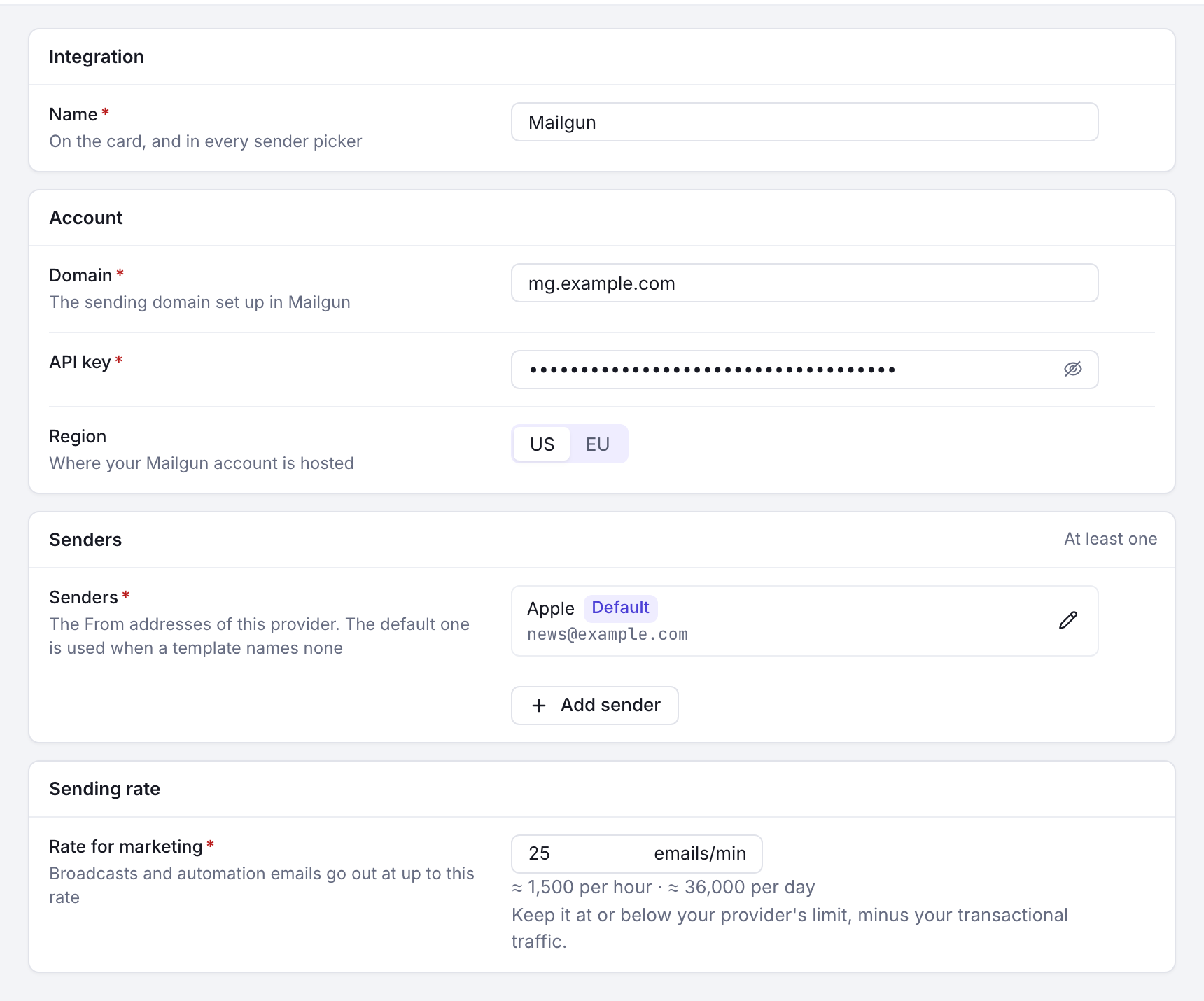
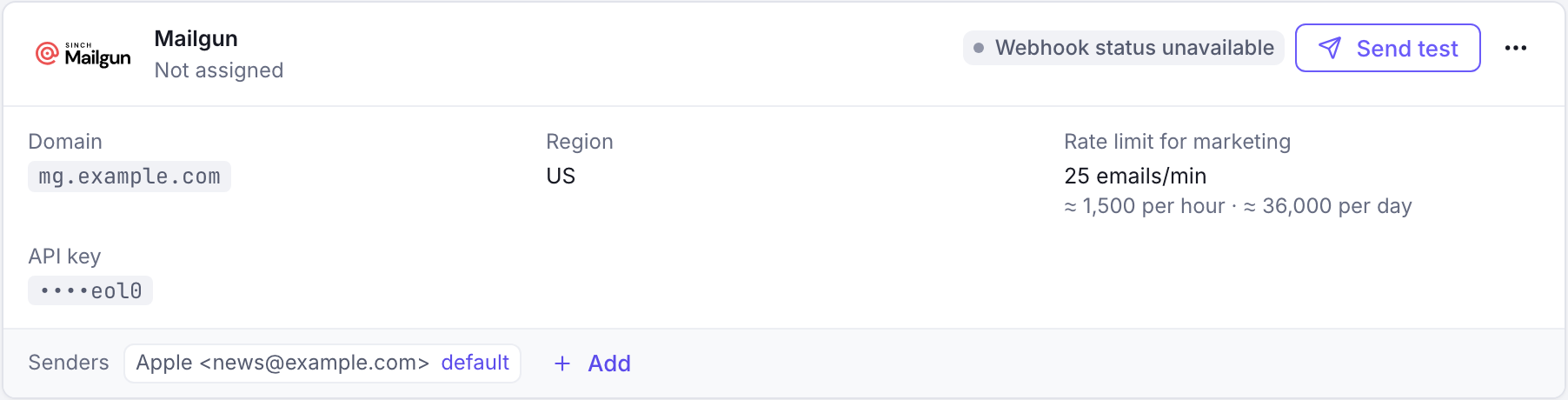
Form Fields
| Field | Description | Example |
|---|---|---|
| Domain | Your verified sending domain | mg.yourdomain.com |
| API Key | Your Mailgun private API key | key-1234567890abcdef... |
| Region | Mailgun region dropdown | US or EU |
Senders List
Add sender addresses that have been verified in your Mailgun account:
| Field | Description | Example |
|---|---|---|
| Name | Display name for the sender | Support Team |
| Sender email address | support@yourdomain.com |
Important: Senders must be verified in Mailgun console before they can be used.
Usage Types
Mailgun can be used for both transactional emails and broadcast campaigns:
| Option | Description | Examples |
|---|---|---|
| Use for transactional | System-generated emails triggered by user actions | Password resets, order confirmations, account notifications |
| Use for marketing | Mass email campaigns and newsletters | Marketing newsletters, product updates, promotional emails |
Webhooks
Notifuse automatically registers the following Mailgun webhooks:
| Webhook Type | Description | Purpose |
|---|---|---|
| Delivery | Email successfully delivered | Track successful deliveries |
| Bounce | Email bounced | Monitor bounces |
| Complaints | Recipient filed abuse complaint | Handle abuse reports |
These webhooks provide real-time feedback on email performance and delivery status.
Inbound replies (stop-on-reply)
To use Exit on reply in automations, Mailgun must forward inbound replies back to Notifuse. This is a one-time setup with two parts:
- Point your domain’s MX records at Mailgun. Add Mailgun’s inbound MX records to your sending domain’s DNS—typically
mxa.mailgun.organdmxb.mailgun.org, both at priority10. Without these, replies never reach Mailgun. Mailgun has no API for DNS, so this step is manual. - Register the inbound route. In Settings → Integrations, open the Mailgun integration’s ⋯ menu and choose Re-register webhooks (Register webhooks if its webhooks are not registered yet). Alongside the delivery, bounce, and complaint webhooks, Notifuse creates a Mailgun Route that forwards inbound mail for your domain to Notifuse. The route is non-preemptive—it forwards a copy and lets any other Mailgun routes you’ve configured keep running, so it won’t disrupt an existing inbound setup.
Replies are matched to the original send by their Message-ID (an unguessable value Notifuse sets at send time), so no separate inbound signing key is required. The inbound endpoint is rate-limited.
Once both parts are in place, a contact’s reply to an automation email will exit their journey whenever that automation has Exit on reply enabled. Bounces and out-of-office auto-replies are filtered out and never count as a reply.
Prerequisites
Before configuring Mailgun:
- Mailgun Account: Active Mailgun account
- Verified Domain: Domain verified in Mailgun console
- API Key: Mailgun private API key
Testing
Click Test Integration to verify your configuration.