
When an address bounces or a contact marks an email as spam, Notifuse records it on the contact’s lists and stops sending them broadcasts. Transactional emails are the exception: they still go out.
How the events reach Notifuse
When you connect Amazon SES, Mailgun, Postmark, SendGrid, SparkPost or Mailjet, Notifuse registers its webhooks with the provider automatically. The provider then reports deliveries, bounces and complaints as they happen. Each integration page lists the events it subscribes to.
Notifuse acts on an event only when it concerns an email Notifuse sent, for the address it went to. Events about other mail on the same provider account are ignored.
Warning
SMTP has no webhooks. An SMTP integration reports no bounces and no complaints, so Notifuse never marks its contacts as bounced or complained. Handle bounces on the SMTP server’s side, or use one of the providers above for marketing email.
Hard and soft bounces
Notifuse sorts each bounce into one of three kinds:
- Hard: the address can’t receive email. The contact is marked bounced right away.
- Soft: a temporary failure on the recipient’s side, such as a full mailbox. It counts toward a threshold.
- Ignored: a problem with the message itself (too large, content rejected) or, for Postmark, a reply or a notice such as an auto-reply. It never counts against the contact.
The soft-bounce threshold is 5: once 5 emails to an address have bounced since its last delivery, Notifuse treats the address as hard-bounced. It counts emails, not events, so a provider that reports several attempts for one email counts it once. A delivery starts the count again. The threshold can’t be changed.
| Provider | Hard | Soft |
|---|---|---|
| Amazon SES | Permanent bounces, and Transient/General bounces where delivery was retried until it expired | Other Transient and Undetermined bounces. MessageTooLarge, ContentRejected and AttachmentRejected are ignored |
| Mailgun | hardbounce, permanent | softbounce, temporary |
| Postmark | HardBounce, BadEmailAddress | SoftBounce, Transient, DnsError, Blocked. Auto-replies, address changes, DMARCPolicy and similar notices are ignored |
| SendGrid | bounce, or the “invalid address” category | blocked, dropped and temporary categories |
| SparkPost | Bounce classes 10, 30 and 90 | Other bounce classes |
| Mailjet | hardbounce | softbounce |
A bounce type Notifuse doesn’t recognize counts as soft.
What changes on the contact
After a bounce (hard, or soft past the threshold), the contact’s status becomes bounced on every list they are on. This happens whichever email bounced, a transactional one included. A list where they are already bounced or complained keeps that status. A hard bounce on an email sent for a list they weren’t on, such as an automation email, also adds them to that list as bounced.
After a complaint, the message is marked complained, and the contact’s status becomes complained on the list the email was sent for. Notifuse adds the contact to that list with this status if they weren’t on it. Their other lists don’t change.
A complaint replaces any status, bounced included. A bounce never replaces a complaint.
Note
A transactional email is not sent for a list. A complaint on one is recorded on the message but changes no list status.
Who stops receiving email
- Broadcasts never go to bounced or complained contacts, whatever the Exclude unsubscribed recipients setting.
- Automations skip a marketing email when the contact is unsubscribed, bounced or complained on the automation’s list. The contact then exits the automation. This check applies to templates in the marketing and blog categories.
Warning
Transactional emails are not blocked. Notifuse sends them to bounced and complained addresses, and a complaint on one doesn’t stop the next. Only the provider’s own suppression list, if it keeps one, can stop them. If your application must not email these addresses, check the contact’s status before calling the transactional API.
Getting a contact back
- Subscribing again is blocked. A form, the notification center or
lists.subscribeleaves a bounced or complained contact as it is and sends no email. Imports don’t overwrite these statuses either. See Re-subscription handling. - An unsubscribe never replaces a bounced or complained status.
- To reactivate a contact whose address works again, call
contactLists.updateStatus, which sets any status. It needs write access to both lists and contacts. Do it only when you know the address is valid and the contact wants your email. - Deleting a contact erases its statuses. A later import or subscription adds the address back as a new, subscribed contact. To keep the suppression, keep the contact. See Deleting a contact.
Amazon SES suppression
By default, every workspace that uses the same AWS account shares one SES suppression list. A hard bounce in one workspace then suppresses that address in the others.
With SES tenant isolation, each integration gets its own tenant and its own suppression list. Notifuse’s bounced and complained statuses still apply to every integration of the workspace.
Watch bounces and complaints
- In Logs, the Messages tab counts Bounced and Complaints messages. Click a count to list them.
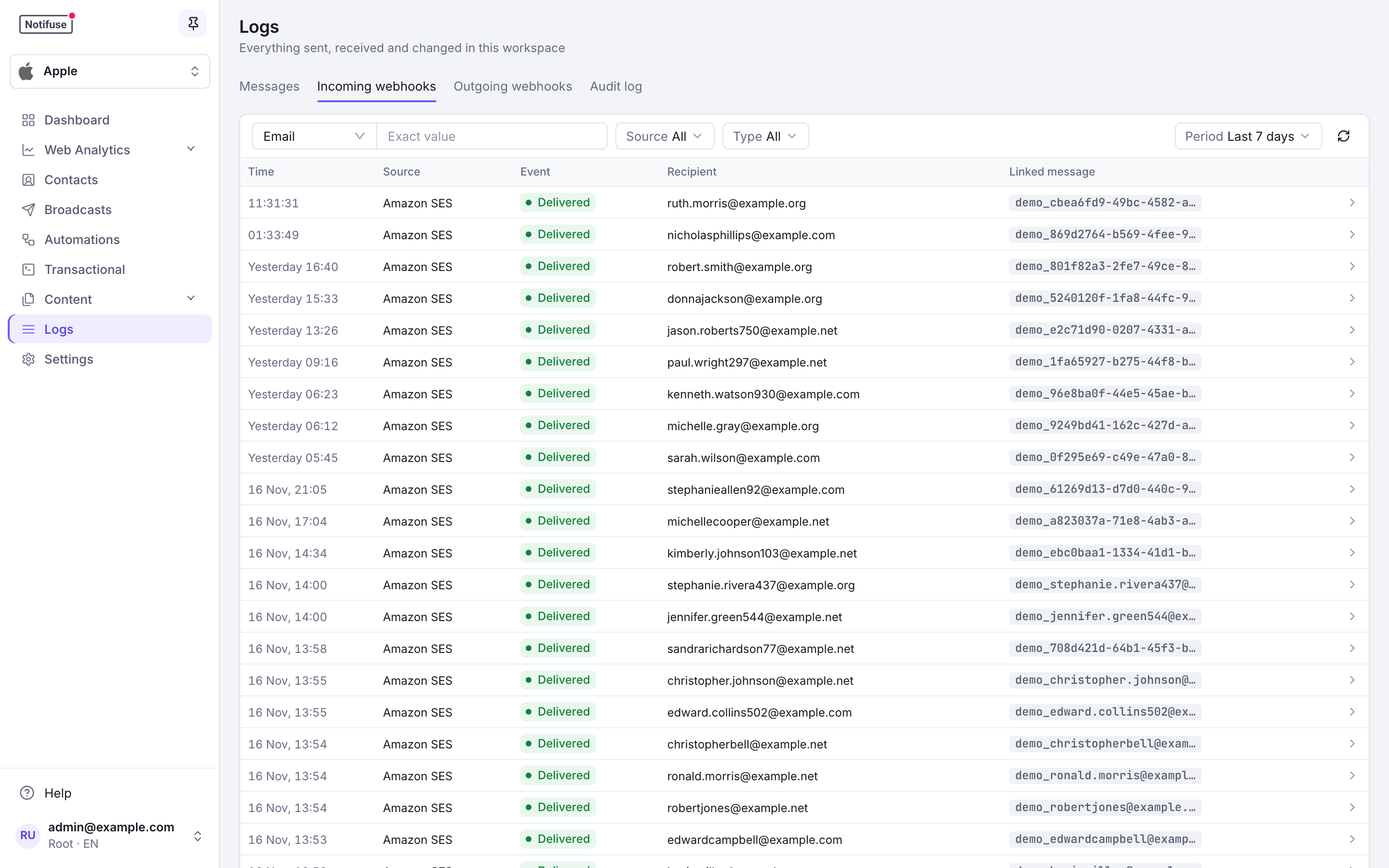
- The Incoming webhooks tab shows each provider event, filtered by Source and Type. Click an event to see the bounce or complaint details as the provider sent them.
- To react in your own systems, subscribe a webhook to
email.bouncedandemail.complained, or tolist.bouncedandlist.complainedfor the status changes on a list.
A broadcast’s results also show its bounces and complaints next to its funnel. See Results.