
You end with a segment of lapsed customers that updates itself every day, and a broadcast sent to it.
Before you start
- Your orders reach Notifuse as custom events with
goal_type: "purchase". The abandoned cart guide shows the call. - An API key with Contacts write, if you still have past orders to send.
- A list your customers are on. A broadcast always goes to a list, and the segment narrows it.
Contacts have no built-in lifetime value or order count fields. Recency, frequency and spend all come from purchase goals, so the segment only knows about orders you have sent as goals.
Build the segment and send the campaign
Send your past orders
A customer who last bought eight months ago only shows up as lapsed if Notifuse has that order. Send your order history through
POST /api/customEvents.import, up to 50 events per call, with each order’s real date inoccurred_at:{ "workspace_id": "YOUR_WORKSPACE_ID", "events": [ { "external_id": "order_0871", "email": "jane@example.com", "event_name": "order.completed", "occurred_at": "2026-03-14T10:22:00Z", "goal_type": "purchase", "goal_value": 120.0 } ] }goal_valueis required for purchases.A refund can be sent as a purchase with a negative
goal_value, under its ownevent_namesuch asorder.refunded. It lowers the customer’s total, but it also counts as one more purchase in a count condition. If you send refunds this way, typeorder.completedin the event field of Narrowed to on your count conditions.Create the segment
In the Contacts rail, click New segment and name it, for example “Lapsed customers”. Keep Contacts matching set to all of the following conditions.
Click Condition, choose Goal, and add these two:
- The contact has reached Purchase, Measure count greater than or equal to 1, When anytime. This keeps people who bought at least once.
- The contact has not reached Purchase, Measure count greater than or equal to 1, When in the last 90 days. This keeps people with no order in the last 90 days.
You need both. has not reached also matches contacts who never bought anything, so the second condition alone would catch every non-buyer.
Click Confirm after each condition.
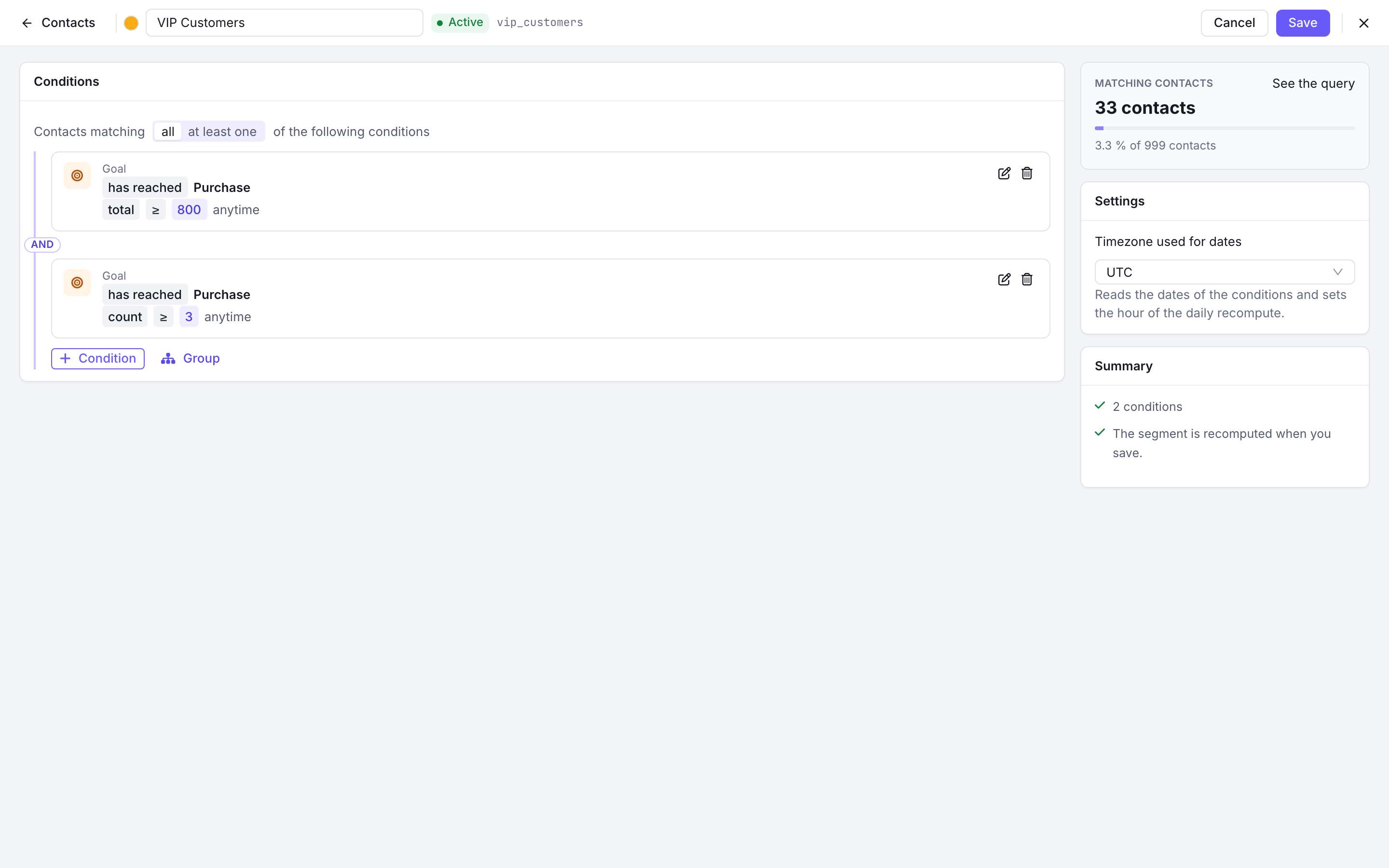
A segment built from two Goal conditions on Purchase, joined by all Keep only your best past customers (optional)
Add a third Goal condition to target customers who spent the most: has reached Purchase, Measure total greater than or equal to 200, When anytime. total adds up
goal_value.For frequent buyers, use count with a higher value instead, such as 3. The same condition also offers average, minimum and maximum.
Pick the timezone and create it
Under Settings, set Timezone used for dates. Click Create.
Notifuse computes the segment once, then again every day at 5 AM in that timezone, because “in the last 90 days” moves with the calendar. A customer joins the segment on the morning their last order turns 90 days old, and leaves it once a new purchase is recorded and the segment recomputes.
Send the campaign
Create a template in the Marketing category for the win-back email. Then go to Broadcasts and click New broadcast.
In Audience, pick the List your customers are on, then pick your segment in And in at least one segment. Only contacts who are on the list and in the segment receive it. Customers who are not on the list are left out.

The Audience card of a broadcast: the Newsletter list narrowed to a win-back segment Adding a second segment widens the audience: a contact needs to be in any one of the segments, not all of them. To narrow it further, add the condition to the segment itself.
Send or schedule the broadcast as usual.
Check that it works
- Once the segment has finished computing, open it from the Contacts rail. The count should match roughly the customers you expect to be lapsed.
- Look up a customer you know bought more than 90 days ago and never since: they should be in the segment. A customer who ordered last week should not.
- Before you send, the Audience card shows the estimated number of recipients for the list and segment together.